Server Sidebar
The server sidebar is composed of the server banner with the title on top, and a list of categories and channels below.
Categories may be collapsed, and continue to show the active channels when collapsed
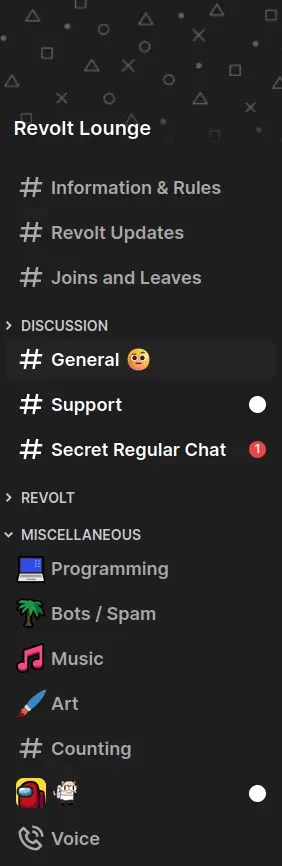
The server sidebar as it appears in Lavender
Ordered Channels Algorithm
- Initialise a set $U$ of uncategorised channel IDs from server channels the client may access.
- Initialise an empty list of categories $C$
- If server.categories are defined, for each category:
- Remove all the channels defined in the category from set $U$
- Add category to list $C$
- If the set $U$ is not empty:
- Find the “default” category if it exists in $C$
- Merge the “default” category channels if they exist with and preceding the set $U$
- Create a category with id=“default” and add it to the start of the list $C$ if it does not exist
- Return the list $C$